

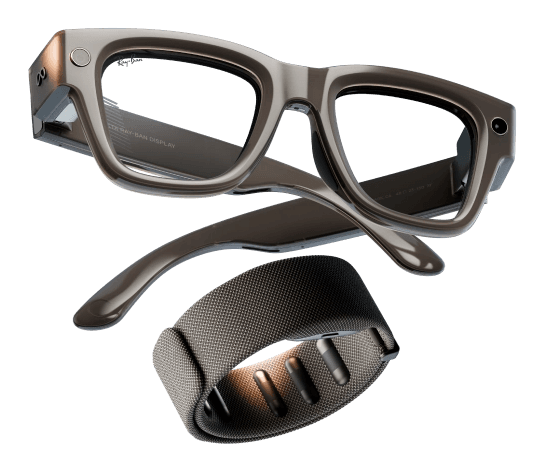


Bring smart glasses
to any iOS or Android app.
$ extentos=extend your app's capabilities
Implement smart glasses once and get multiple vendors, plus the entire support system around them.
All supported under Extentos
Implement smart glasses once and get multiple vendors, plus the entire support system around them.
All supported under Extentos
Add the Extentos MCP server to your coding agent. It knows every API, capability and code pattern, and drives the whole integration from there — all the way to an app running in the simulator.
 Codex
Codex GitHub Copilot
 Cursor
In the iOS and Android app you already have.
Your coding agent, fluent in Extentos.
It gets real answers — every API and capability — plus a simulator to run and debug what it builds.
ExploreNative iOS + Android. Vendor-agnostic by design.
The Simulator, Agent, MCP, and Analytics are all built on it.
ExploreA voice agent you configure, not build.
Extentos built the assistant runtime end to end. You pick the model and the voice — a cloud model, or a local model that’s free.
ExploreComing soonSee how your app runs on real glasses.
Error data to fix failures, which vendors your users actually run, and many more metrics.
ExploreReal integrations, in their words.
The simulator is the most compelling part of the product. Being able to work against a glasses-like environment without immediately owning the hardware makes the development process much more approachable.

Overall, we were able to reach a real-hardware E2E result in a relatively short amount of time, and the MCP-driven workflow made the integration significantly easier.

Camera permission/session/stream lifecycle collapses into one typed capturePhoto() call, versus ~530 lines of addStream/StreamConfiguration/publisher-listener plumbing we currently hand-maintain.
The smart-glasses SDK for Android and iOS — live on Maven Central and Swift Package Manager. Explore the SDK →
 Meta SDK
 Android XR SDK
// build.gradle.ktsimplementation("com.extentos:glasses:2.8.0")implementation("com.extentos:glasses-ui:2.8.0")
glasses core SDK · glasses-ui — optional connection screen Brilliant Labs SDK
 HTC SDK